Photo Editor (App iOS)

Competitors
I investigated not only direct competitors
but also video editors to see best ways for editing any content.
We selected Snow and InShot as the best reference.

Challenge:
High competition and unclear product uniqueness.
We needed to move fast: analyze the competitors, define a visual style for the MVP, and build it with the standard tools users already expect
Run user research to decide on the product direction with the PM.
Competitors
I investigated not only direct competitors
but also video editors to see best ways for editing any content.
We selected Snow and InShot as the best reference.
Interface

Editor
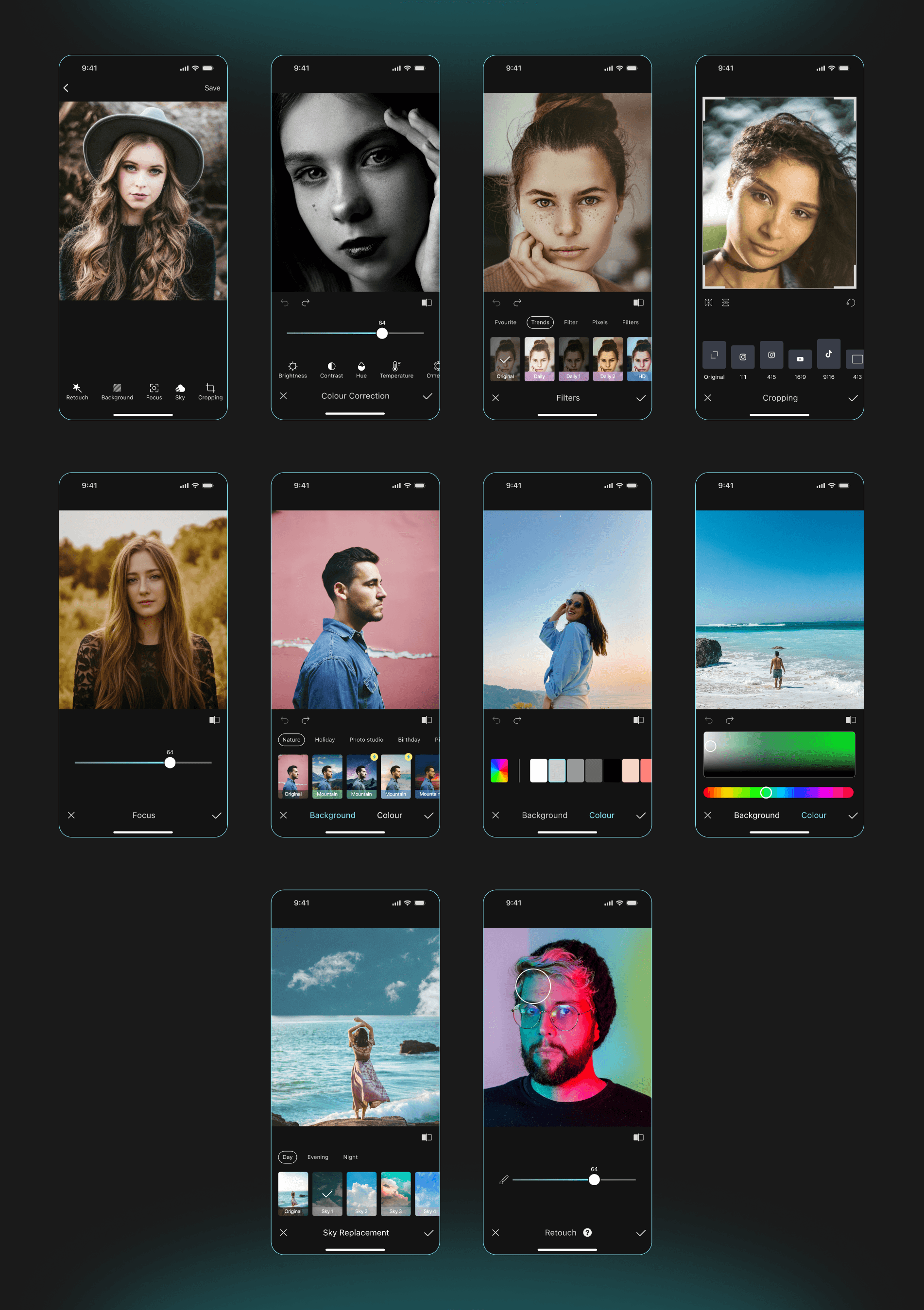
In a short timeframe, our team delivered a clean MVP with a solid design. From my side, I created a clean, standard interface following industry norms — intuitive and familiar to users. The goal was to make the flow feel natural and self-explanatory, without the need for onboarding or tooltips.
Check out the main user flow (instruments) below of Editor👇
Design System
I always create clear, well-structured UI kits, which helps developers implement designs smoothly — with almost no follow-up questions. The app passed App Store review on the first submission, confirming the design's clarity and compliance with HIG.

Onboarding
The onboarding flow presents a scrollable slider showcasing the app's core features. Users can swipe through the slides, giving them full control over their first experience.

Outcomes
Delivered a fully functional MVP in a short timeline by conducting an in-depth competitor analysis and integrating their key strengths into our product strategy.
The app passed the App Store review on the first submission, reflecting the high quality and cleanliness of the design and its full compliance with HIG standards..
The app maintains a high rating on the App Store with consistently positive user reviews, reflecting strong product quality and user satisfaction.